
Looking for a reliable fiber laser engraver for metal? This guide highlights five strong choices that balance speed, depth, and image quality. Each product is best for specific buyers—craft businesses, jewelry makers, or DIY enthusiasts who demand deep engraving, 3D embossing, or color marking on metal. Read on to compare capabilities, limitations, and ideal use cases to help you choose the right machine.
Summary table of selected products:
| Product | Best For | Working Area | Key Strength |
|---|---|---|---|
| xTool F1 Ultra | 3D embossing on metal and multi-material projects | Varies by model | Ultra-fast 20W fiber + diode dual laser |
| GWEIKE G2 Pro | High-precision metal engraving | 110×110 mm | 30W fiber, 3D & deep engraving |
| xTool F1 2-in-1 | Portable metal and wood engraving | Compact | Dual 2W IR + 10W diode, enclosed |
| Mr.Carve S4-20W | LightBurn-compatible metal marking | Various lenses | Dual lenses, 0.01 mm precision |
| xTool F2 Ultra | Colorful metal engraving at scale | Desktop | 60W MOPA fiber + 40W diode, 15,000 mm/s |
xTool F1 Ultra 20W Fiber & Diode Dual Laser Engraver

The xTool F1 Ultra combines a 20W fiber laser with a diode laser in a two-laser system for metal and non-metal materials. It supports 3D embossing and deep engraving, enabling multi-level designs on metals and other substrates. Best for shops needing fast metal engraving with integrated 3D capability, such as jewelry pieces and custom metal tags. Note that dual-laser setups may require additional setup time and calibration to optimize multi-material results.
Who it’s best for: small-to-moderate production shops, jewelers, and craft businesses that value speed and 3D options on metals. The 20W fiber handles metals quickly; the diode laser expands material versatility for wood, acrylic, and leather.
Why chosen: It offers a balanced combination of speed and 3D capability, making it a versatile option for multi-material engraving.
Limitations: The dual-laser configuration can require more routine maintenance and alignment checks to keep both paths synchronized for complex designs.
GWEIKE G2 Pro 30W Fiber Laser Engraver

The GWEIKE G2 Pro delivers industrial-grade speed with a 30W fiber laser and up to 15,000 mm/s engraving, plus 0.001 mm accuracy. It emphasizes 3D embossing and deep engraving on metal, suitable for high-precision work and small, intricate pieces. Best for metal-focused production where depth and detail are critical—and the compact, portable design adds flexibility in smaller shops or field settings.
Who it’s best for: metal artisans and small manufacturing setups that require high-precision, deep engraving and the option to move beyond a fixed bench.
Why chosen: The combination of high-speed performance and deep engraving capabilities makes it a strong choice for detailed metal artwork and tags.
Limitations: Working area is relatively modest (110×110 mm), so larger parts require multiple passes or external fixturing.
xTool F1 2-in-1 Dual Laser Engraver

The F1 2-in-1 model blends a 2W infrared laser for metal with a 10W diode laser for wood, acrylic, and more, delivering versatile performance in a portable package. It achieves high-speed engraving up to 4000 mm/s and supports color marking on metal with embedded safety and enclosure features. This setup shines for on-the-go shops, hobbyists, and small businesses that need multi-material capability in a compact unit.
Who it’s best for: mobile crafters, craft fair vendors, and small studios needing portable, multi-material engraving.
Why chosen: The dual-laser approach in a portable form factor fills a niche for small businesses that require both metal marking and non-metal engraving without a large footprint.
Limitations: The small size may limit large-piece engravings and batch-scale production compared with larger units.
xTool F2 Ultra 60W MOPA & 40W Diode Dual Laser Engraver
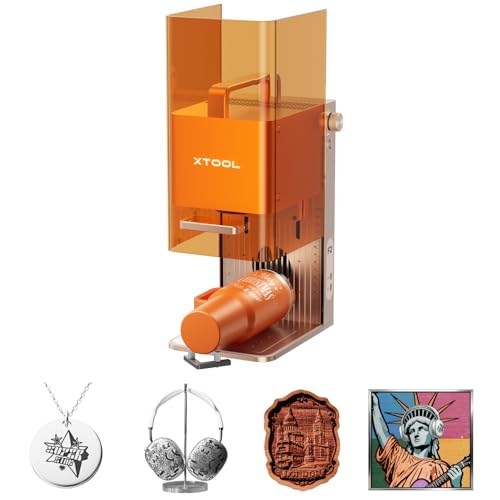
The xTool F2 Ultra combines a 60W MOPA fiber laser with a 40W diode laser, enabling color engraving on metals, 3D embossing, and cutting up to 2 mm metal, 20 mm acrylic, and 23 mm wood. It supports over 100 color variations on metal and offers high-speed engraving up to 15,000 mm/s. Best for color-rich metal marking and larger-volume projects, with strong 3D and embossing capabilities.
Who it’s best for: color-marking enthusiasts, artisans, and small-to-mid-sized shops needing color fidelity and fast throughput on metal surfaces.
Why chosen: The color-capable 60W MOPA fiber path sets it apart for metal artwork requiring vibrant color results, along with robust speed and deep engraving.
Limitations: Higher power and dual-laser complexity may require more careful calibration and maintenance.
Buying Guide: How To Choose A Fiber Laser Engraver For Metal
What power do I need for metal engraving?
For most metals, higher fiber laser power enables deeper engraving and faster material removal. If you plan to engrave deeply or cut metal, a 30–60W fiber laser is a solid baseline. For color marking and 3D work, models combining a secondary diode or MOPA fiber path offer more versatility.
Is depth or color marking more important?
Deep engraving on metal requires more laser energy and sometimes different focal lengths. If color marking on metal is a priority, look for a MOPA-based fiber laser with color matrices and tested color presets, like the higher-end F2 Ultra models.
What working area should I expect?
Smaller engraved parts benefit from compact working areas (around 110×110 mm), while larger parts require bigger beds or multi-pass workflows. Plan around your typical material sizes and whether you’ll batch-process items.
How important is 3D embossing?
3D embossing adds tactile depth and complexity. If your designs include layered textures or relief effects, choose a model advertised with robust 3D engraving or embossing capabilities, and verify the process ability with your intended materials.
Portability versus fixed bench?
If you need mobility for shows or small studios, opt for compact, enclosed units with integrated smoke control. For dedicated shops, larger benchtop or desktop units with higher power may offer greater efficiency and scalability.
What safety features should you expect?
Enclosures, smoke filtration, and air assist contribute to safer operation, especially for indoor work. Ensure the model has an enclosed design or clear safety features and follows local regulations for laser devices.
Software compatibility and workflow
Software compatibility (like LightBurn or other common interfaces) simplifies the learning curve and integration with existing designs. Look for models offering software support that aligns with your workflow, especially for complex vector graphics or serial numbering.
Maintenance and support
Higher-power systems may require more routine maintenance and calibration. Consider vendor support, availability of replacement parts, and ease of lens or nozzle replacement when evaluating long-term costs.
Summary: quick shopping checklist
- Metal engraving depth and speed requirements
- Need for 3D embossing and color marking
- Preferred working area and footprint
- Software compatibility and ease of use
- Budget and maintenance expectations
FAQ: Quick answers for metal engraving with fiber lasers
Q: Can these engravers cut metal, or just mark it? A: Some models can cut metal up to a few millimeters, while most focus on engraving and marking with depth capabilities varying by power and lens configuration.
Q: Is a dual-laser system worth it for metal work? A: Dual-laser setups provide versatility for metal marking and non-metal materials, improving workflow if you work with mixed substrates.
Q: Do I need special ventilation? A: Yes. Enclosed units with smoke filtration and proper ventilation are advisable for safe operation, especially indoors.
Q: Will these machines work with standard design files? A: Most support popular vector and bitmap formats via software like LightBurn or compatible interfaces, streamlining design-to-engrave workflows.
Q: What maintenance is typical? A: Regular alignment checks, lens cleaning or replacement, and occasional software updates help maintain performance, especially with high-power systems.